Interal microphone "unplugged" and not working on Dell Inspiron 14 7440 running newest ubuntu desktop
| Post Reply | RetroFed Forums Forum Index » Linux Hardware |
| Author | Message | ||
|---|---|---|---|
|
first_ad4972 sh.itjust.works first_ad4972@sh.itjust.works Joined: 2023-08-04 |
The internal microphone doesn't work on my Dell Inspiron 14 7440 running ubuntu, though it is recognized on windows and I remember it working before I reinstalled the ubuntu system. When I open sound settings, the app doesn't recognize the internal microphone:
I ran
I also looked at
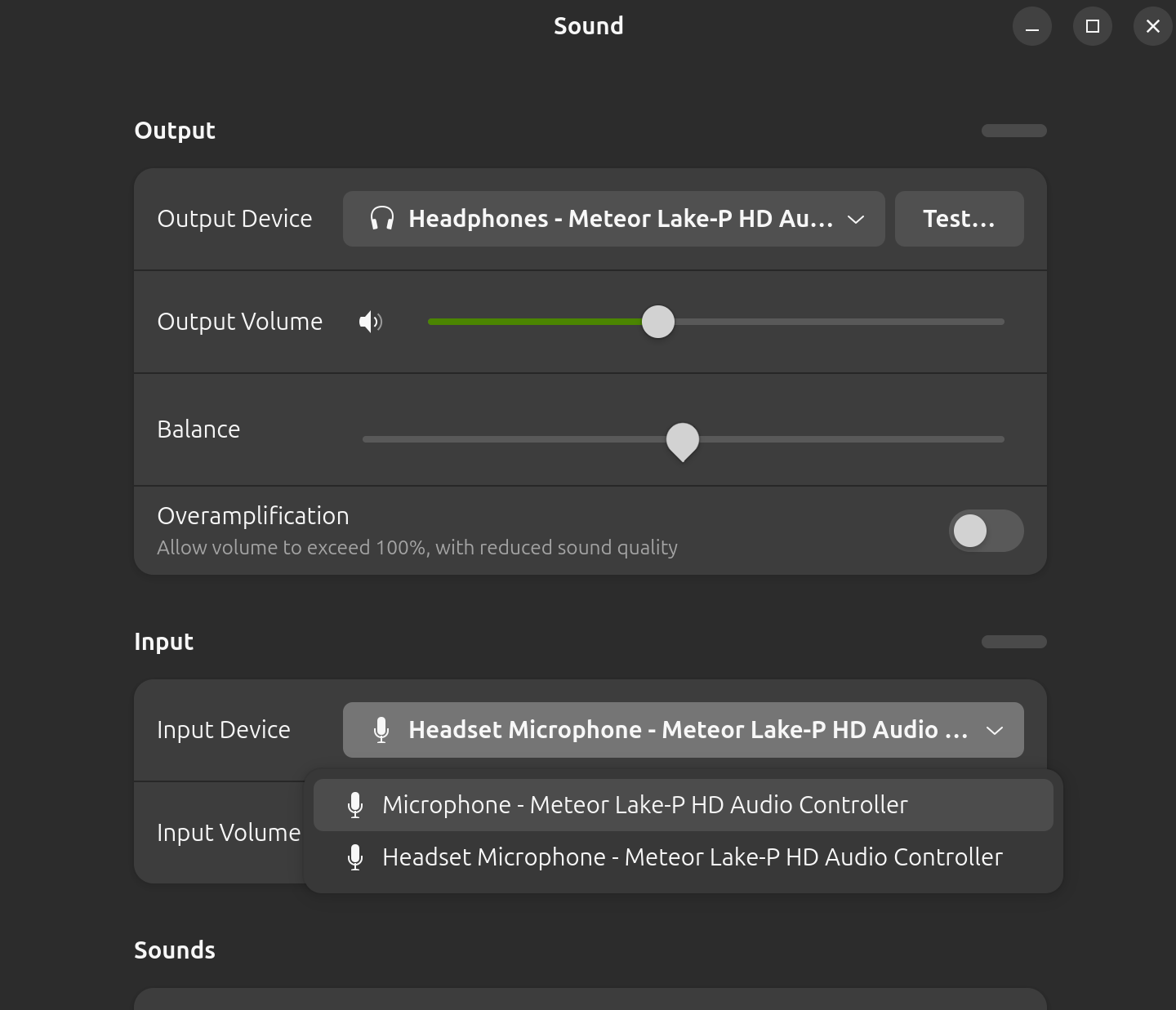
How can I get the microphone working? Update: I tried plugging in a headset and plugging it out. When I plugged it in 2 microphones showed up, one called "headset microphone" and the other just called "microphone", screenshot:
But when I unplugged the headset both microphones are gone, does it mean that my laptop recognizes its internal microphone when a headset is plugged in? Also when I switch to the one just called "microphone", speaking to the headset microphone doesn't make the bar move as much as patting the laptop, so the "microphone" should be the internal microphone. |
||
| 1 Original | |||


| Post Reply | Page 1 |
Powered by RetroFed · PieBB frontend
· All times are Europe/Amsterdam