| Post Reply | RetroFed Forum Forum Index » i3 Window Manager |
| Author | Message | ||
|---|---|---|---|
 ExtremeDullard
lemmy.sdf.org
ExtremeDullard@lemmy.sdf.org
ExtremeDullard
lemmy.sdf.org
ExtremeDullard@lemmy.sdf.orgJoined: 2023-07-23 |
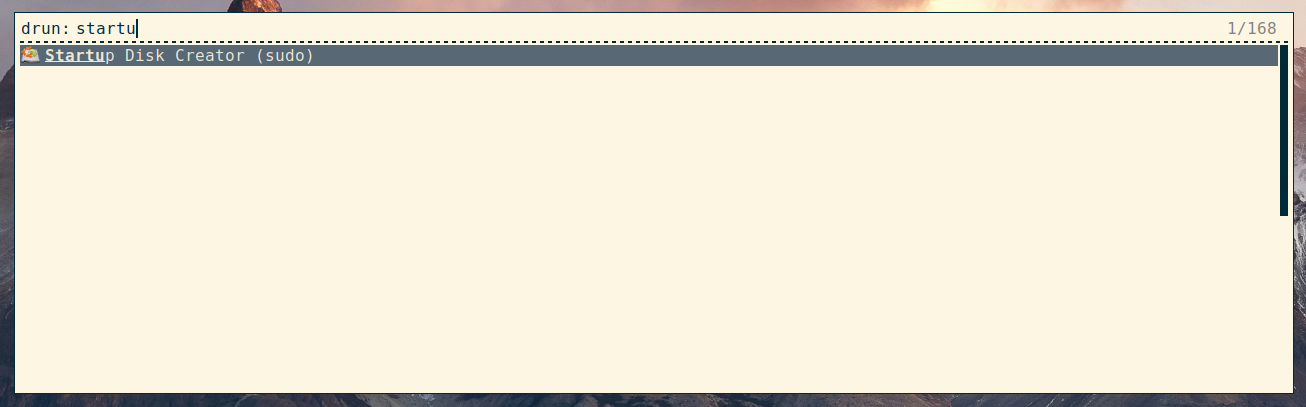
If you need to run commands as root regularly with Rofi, you may find this useful. So let's say you want to run usb-creator-gtk to create a bootable USB stick. You have write access to the USB stick's block device but it's not enough: you need to become root. You can of course open a terminal and run If you want to permanently run that command as root, do this:
That way, when Rofi looks for available applications in drun mode, it will find your local usb-creator-gtk.desktop file before the system-wide file of the same name and will use the local one and ignore the system-wide one. If you'd like Rofi to list both, rename the one in your local directory to a different name from the system-wide one.
And that's it! Start Rofi, type "startup" and the autocompletion should list "Startup Disk Creator (sudo)" - and of course, selecting it should pop the window rightaway. |
||
| 1 Original | |||
| Post Reply |
Back to top |