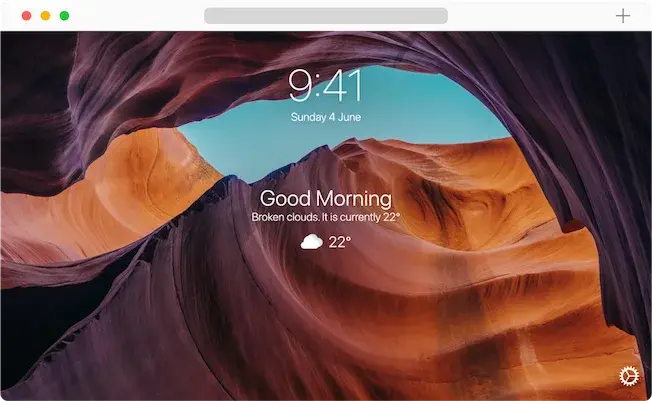
Bonjourr is a home page for your Internet browser inspired by the looks of iOS.
While it aims to look and feel minimal, it still brings you lots of options to customise it to your liking. Here's some features:
- 🍏 iOS design language
- 🏞 Dynamic 4K backgrounds that change according to the mood of the day
- ⚡️ Fast & lightweight!
- 🔎 Search bar (compatible with all search engines)
- 🕰 Analog clock with multiple clock faces
- 🌤 Weather
- 🔗 Quick Links
- 👋 Greets you by your name
- 🌘 Dark mode
- 🥖 Emoji as favicon
- 🧑💻 Custom CSS styling
- 📝 Custom fonts
- 🔒 Privacy focused
- 🌎 Multilanguage
🚀 Install Bonjourr!
Chrome •
Firefox •
Edge •
Safari •
or try it online
👋 Get in touch
Check out our Telegram group where we discuss ideas, features and bug reports. You can also send us an email or follow us on Twitter :)
✍️ Contribute
Here's a list of things you can do to help us out:
🌟 Spread the word!
If you just want to say thank you and support our work, here's some ideas:
☕ Donate
If you feel like we've earned it and you want to support independant open source developpers, we'll gladly accept your donations! It motivates us to keep improving Bonjourr and makes it feel more real :)
Our Ko-Fi Page •
or donate in crypto
👨💻 Running Bonjourr locally
Chrome
Initialize
Build
Run & watch
Browser extension launch
- Go to
chrome://extensions
- Enable Developer mode
- Load unpacked and select
/release/chrome folder
Firefox
- Follow the initialize and build steps from Chrome
Run & watch
Browser extension launch
- Go to
about:debugging#/runtime/this-firefox
- Select "Load temporary Add-on"
- Select
manifest.json in /release/firefox folder
Edge
- Follow the initialize and build steps from Chrome
Run & watch
Browser extension launch
- Go to
edge://extensions
- Enable Developer mode
- Load unpacked and select
/release/edge folder
- Replace manifest with
/src/manifests/edge.json
- And rename
edge.json to manifest.json
Safari
Online
- Follow the initialize and build steps from Chrome
Run & watch
Web server launch
- Open a live server from
/release/online folder
🔧 Built with
👀 Authors
🧑💻 Contributors and translations
 (des)mosthenes
lemmy.world
desmosthenes@lemmy.world
(des)mosthenes
lemmy.world
desmosthenes@lemmy.world