(des)mosthenes lemmy.world
desmosthenes@lemmy.world
Thu Jul 6, 2023 11:48 pm
Quote
I didn't make this one - but I'm a fan of the ideas and concepts
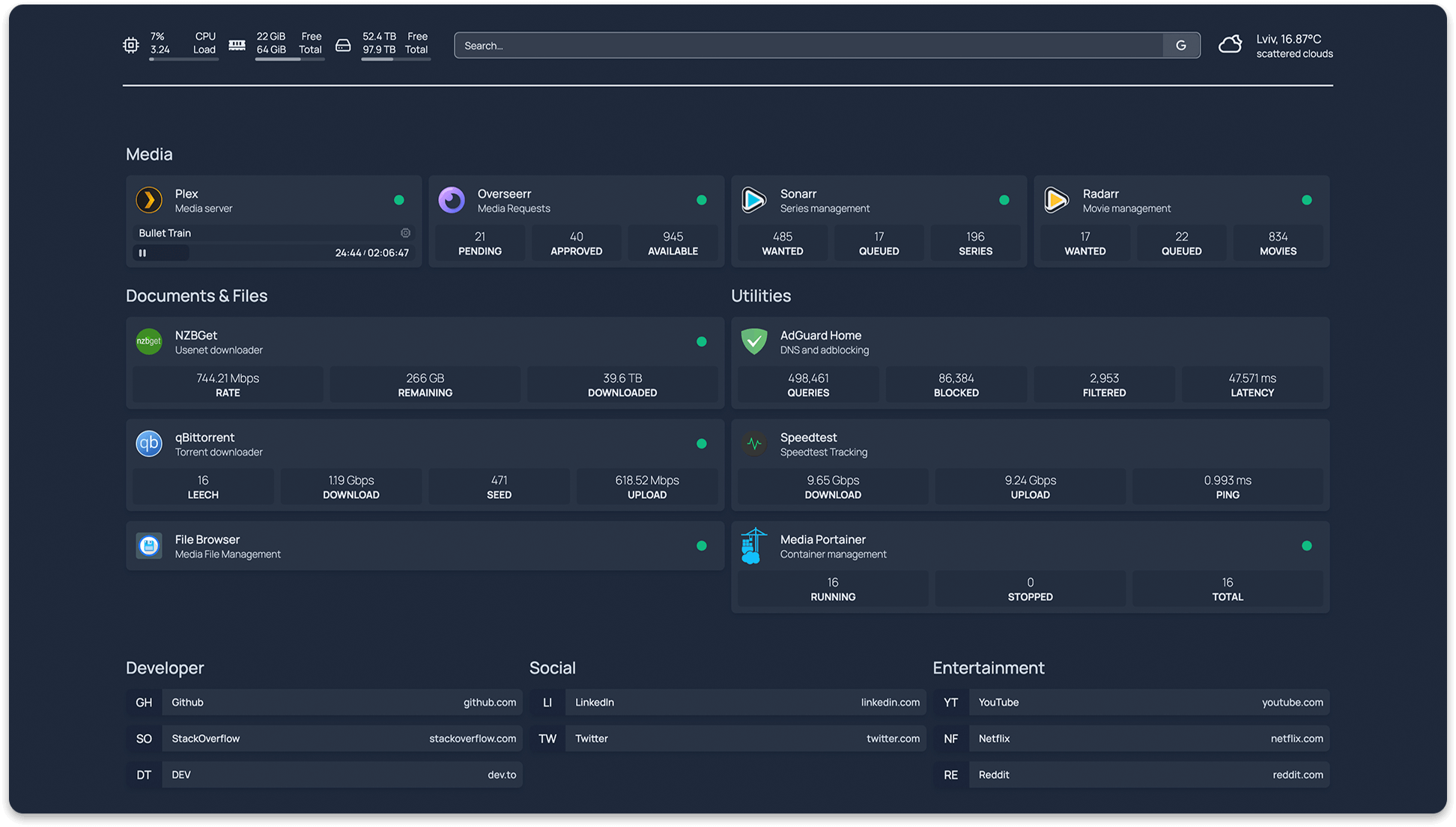
A modern (fully static, fast) , secure (fully proxied) , highly customizable application dashboard with integrations for more than 25 services and translations for over 15 languages. Easily configured via YAML files (or discovery via docker labels).
Features
Fast! The entire site is statically generated at build time, so you can expect instant load timesSecure! Every API request to backend services goes through a proxy server, so your API keys are never exposed to the frontend client.Images built for AMD64 (x86_64), ARM64, ARMv7 and ARMv6
Supports all Raspberry Pi's, most SBCs & Apple Silicon
Full i18n support with translations for Catalan, Chinese, Dutch, Finnish, French, German, Hebrew, Hungarian, Malay, Norwegian Bokmål, Polish, Portuguese, Portuguese (Brazil), Romanian, Russian, Spanish, Swedish and Yue
Service & Web Bookmarks
Docker Integration
Container status (Running / Stopped) & statistics (CPU, Memory, Network)
Automatic service discovery (via labels)
Service Integration
Sonarr, Radarr, Readarr, Prowlarr, Bazarr, Lidarr, Emby, Jellyfin, Tautulli, Plex and more
Ombi, Overseerr, Jellyseerr, Jackett, NZBGet, SABnzbd, ruTorrent, Transmission, qBittorrent and more
Portainer, Traefik, Speedtest Tracker, PiHole, AdGuard Home, Nginx Proxy Manager, Gotify, Syncthing Relay Server, Authentik, Proxmox and more
Information Providers
Coin Market Cap, Mastodon and more
Information & Utility Widgets
System Stats (Disk, CPU, Memory)
Weather via OpenWeatherMap or Open-Meteo
Web Search Bar
UniFi Console, Glances and more
Instant "Quick-launch" search
Customizable
21 theme colors with light and dark mode support
Background image support
Column and Row layout options
Support & Suggestions
If you have any questions, suggestions, or general issues, please start a discussion on the Discussions page.
For bug reports, please open an issue on the Issues page.
Getting Started
For configuration options, examples and more, please check out the homepage site .
With Docker
Using docker compose:
version: "3.3"
services:
  homepage:
    image: ghcr.io/benphelps/homepage:latest
    container_name: homepage
    ports:
      - 3000:3000
    volumes:
      - /path/to/config:/app/config # Make sure your local config directory exists
      - /var/run/docker.sock:/var/run/docker.sock:ro # (optional) For docker integrations
or docker run:
docker run -p 3000:3000 -v /path/to/config:/app/config -v /var/run/docker.sock:/var/run/docker.sock ghcr.io/benphelps/homepage:latest
With Node
First, clone the repository:
git clone https://github.com/benphelps/homepage.git
Then install dependencies and build the production bundle (I'm using pnpm here, you can use npm or yarn if you like):
pnpm install
pnpm build
If this is your first time starting, copy the src/skeleton directory to config/ to populate initial example config files.
Finally, run the server:
pnpm start
Configuration
Configuration files will be generated and placed on the first request.
Configuration is done in the /config directory using .yaml files. Refer to each config for
You may also check the homepage site for detailed configuration instructions, examples and more.
Development
Install NPM packages, this project uses pnpm (and so should you!):
pnpm install
Start the development server:
pnpm dev
Open http://localhost:3000 to start.
This is a Next.js application, see their doucmentation for more information:
Contributors
 (des)mosthenes
lemmy.world
desmosthenes@lemmy.world
(des)mosthenes
lemmy.world
desmosthenes@lemmy.world