| Post Reply | RetroFed Forum Forum Index » 3dprinting |
| Author | Message | ||
|---|---|---|---|
|
zout
fedia.io
zout@fedia.io Joined: 2024-03-16 |
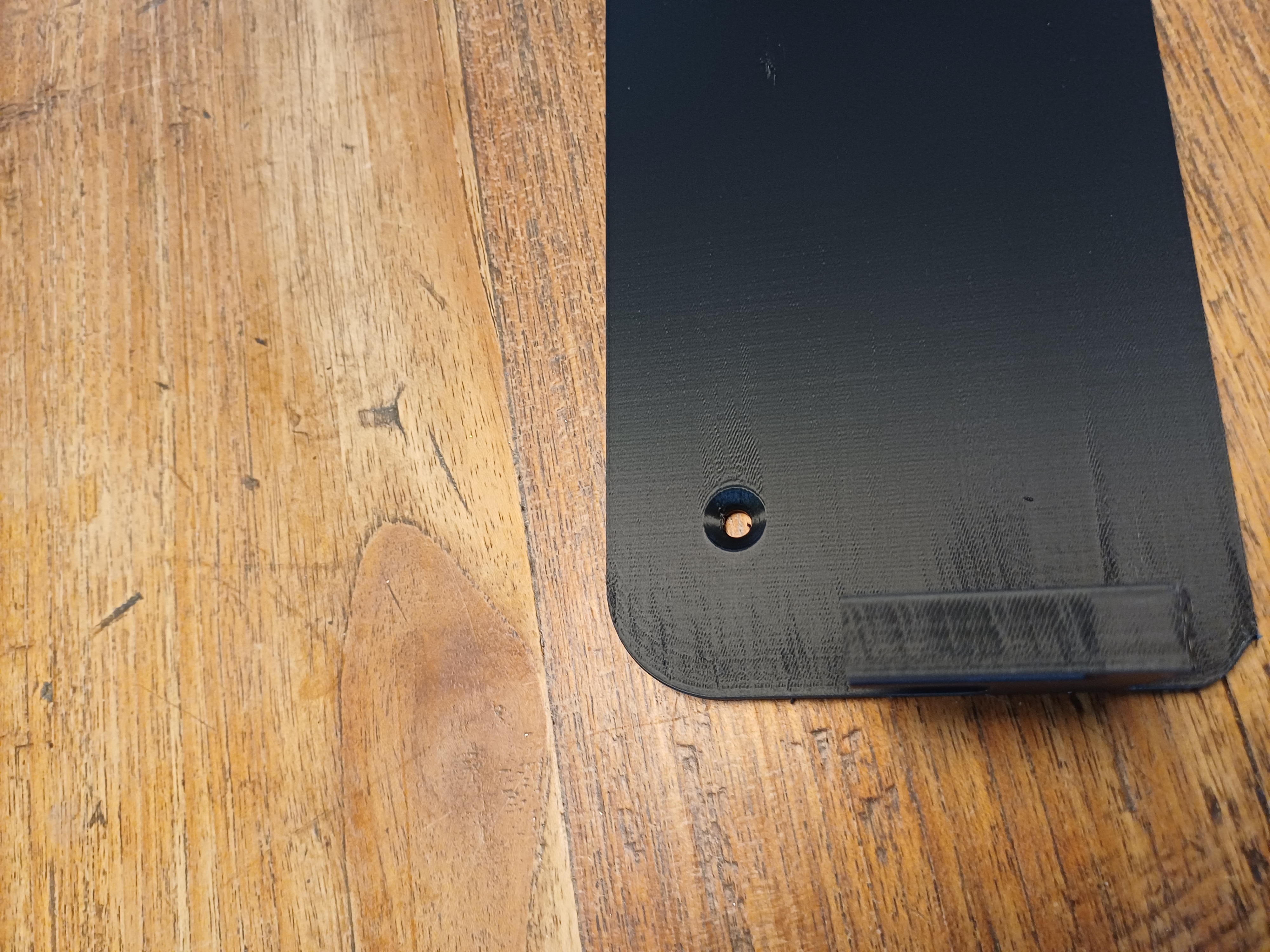
Printing on an Elegoo Centauri Carbon 2. This started happening recently. Printer is relatively new, and before I was printing with the filament I ordered along the printer. The prints with the errors occur since switching filament to stuff I ordered later, but I also saw it when I switched back. |
||
| 10 Original | |||
 Chais
sh.itjust.works
Chais@sh.itjust.works
Chais
sh.itjust.works
Chais@sh.itjust.worksJoined: 2023-06-12 |
Looks like something is dragging across the print. Maybe the print bed is no longer level? |
||
| 1 | |||
 orbituary
lemmy.dbzer0.com
orbituary@lemmy.dbzer0.com
orbituary
lemmy.dbzer0.com
orbituary@lemmy.dbzer0.comJoined: 2023-06-14 |
Calibrate your printer and make sure your filament is dry. That's a heat or moisture issue. Get the temp specs on your filament and use that for the calibration. |
||
| 3 | |||
|
zout
fedia.io
zout@fedia.io Joined: 2024-03-16 |
Looks like something is dragging across the print. Maybe the print bed is no longer level?
The print bed was levelled before this print. But your comment about dragging got me thinking, I am under the impression that Orcaslicer does something different. It feels like there are a lot more layers than before, even though I don't remember changing settings for layer height. So I just sliced something I printed before, and the number of layers doubled, the print time quadrupled. |
||
| 1 | |||
|
zout
fedia.io
zout@fedia.io Joined: 2024-03-16 |
So, after the comment by @Chais@sh.itjust.works I checked my slicer settings again, it turns out the nozzle size was somehow changed from 0.4 to 0.2. I'll do a test print with the nozzle size reset. |
||
| 1 | |||
|
zout
fedia.io
zout@fedia.io Joined: 2024-03-16 |
Calibrate your printer and make sure your filament is dry. That's a heat or moisture issue. Get the temp specs on your filament and use that for the calibration.
If the problems persist I'll check that, though I had this problem with multiple new rolls of filament. For now I'm running a test print with better slicer settings. |
||
| 1 | |||
|
zout
fedia.io
zout@fedia.io Joined: 2024-03-16 |
So, after the comment by @Chais@sh.itjust.works I checked my slicer settings again, it turns out the nozzle size was somehow changed from 0.4 to 0.2. I'll do a test print with the nozzle size reset.
It was the nozzle setting. No idea how I managed to change that, but here's the result, left with the wrong setting, right is the correct one.
|
||
| 2 | |||
|
orbituary
lemmy.dbzer0.com
orbituary@lemmy.dbzer0.com Joined: 2023-06-14 |
If the problems persist I'll check that, though I had this problem with multiple new rolls of filament. For now I'm running a test print with better slicer settings.
Filament is notoriously wet from the factory. Just because it's new doesn't mean it's dry. |
||
| 2 | |||

| Post Reply |
Back to top |