| Post Reply | RetroFed Forum Forum Index » PieFed Meta |
| Author | Message | ||
|---|---|---|---|
 Snoopy
piefed.social
Snoopy@piefed.social
Snoopy
piefed.social
Snoopy@piefed.socialJoined: 2025-02-25 |
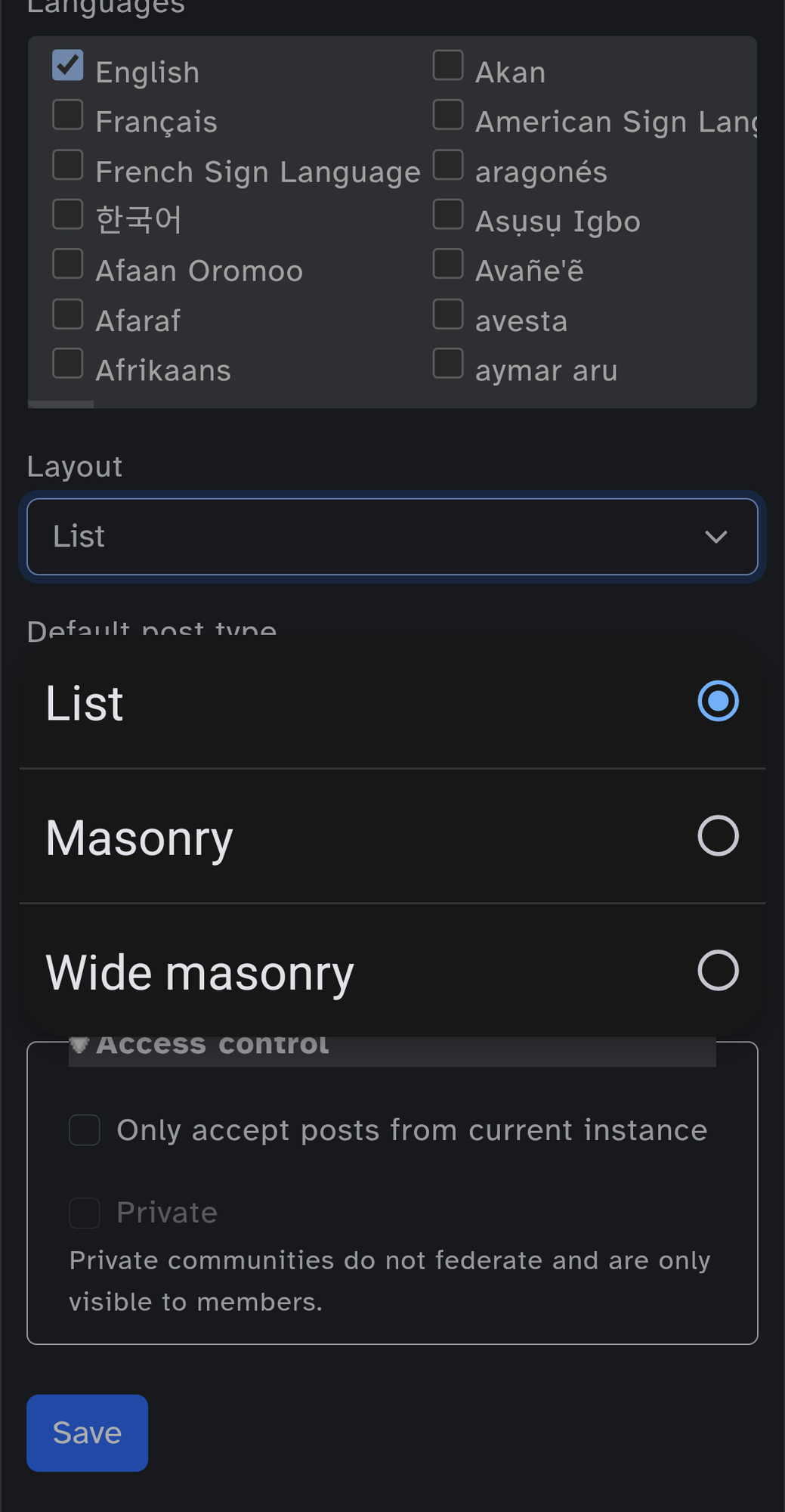
How toHere are the step to change the default layout of your picture/video community :
Wiki |
||
| 31 Original | |||
|
Snoopy
piefed.social
Snoopy@piefed.social Joined: 2025-02-25 |
Here is the galery mode on piefed :
|
||
| 12 | |||
 chromodynamic
piefed.social
chromodynamic@piefed.social
chromodynamic
piefed.social
chromodynamic@piefed.socialJoined: 2025-06-28 |
It would be nice if we could set a default layout for feeds as well. |
||
| 4 | |||
|
Snoopy
piefed.social
Snoopy@piefed.social Joined: 2025-02-25 |
It would be nice if we could set a default layout for feeds as well.
User can change the community layout but i dunno if it is saved. |
||
| 1 | |||
|
chromodynamic
piefed.social
chromodynamic@piefed.social Joined: 2025-06-28 |
User can change the community layout but i dunno if it is saved.
It's not. But it would be good if it could be done by the feed creator, if the feed is for image or video communities. |
||
| 4 | |||
|
Snoopy
piefed.social
Snoopy@piefed.social Joined: 2025-02-25 |
It's not. But it would be good if it could be done by the feed creator, if the feed is for image or video communities.
@Skavau@piefed.social it may interest you :) |
||
| 1 | |||


| Post Reply |
Back to top |